 clickseal
Join the test
Clickseal isn't on the app stores yet. You can try it first on Android or iPhone. Just follow the steps below.
On Android
📱 Do this on your Android phone.
🔑 Join the group with the same Google account your Google Play uses. If they're different, the app won't show up.
-
1
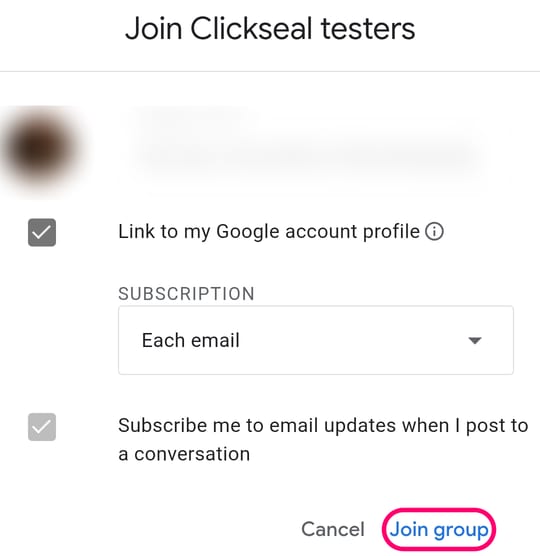
Join the group Join the group
- Tap
Join group
. - Tap
Join group
again. - Close that page and come back here for step 2.

- Tap
-
2
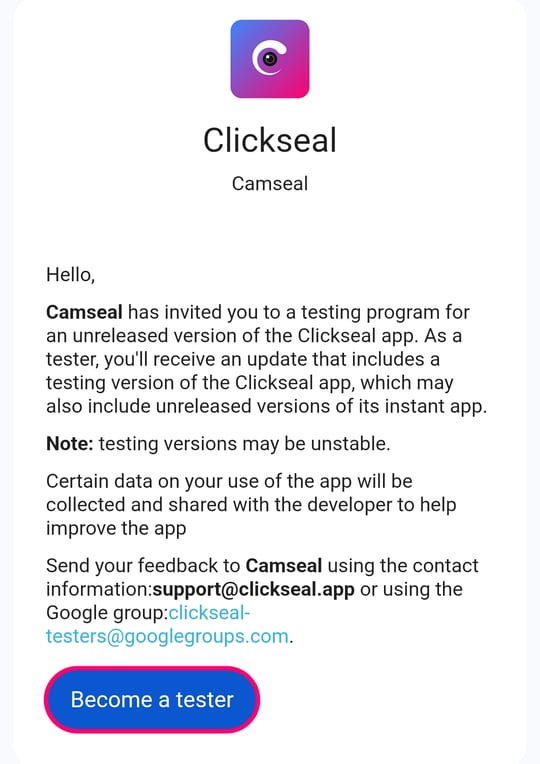
Become a tester Become a tester
- Tap
Become a tester
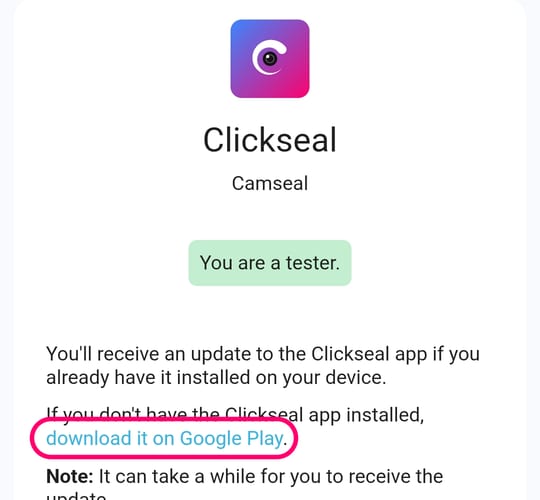
. - It says
You are a tester
. - Close that page and come back here for step 3.
- Tap
-
3
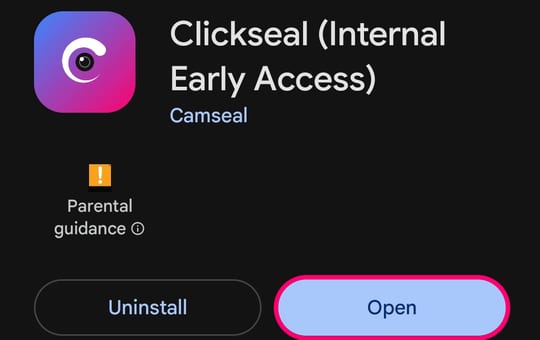
Get the app Get Clickseal
- Tap
Install
. - Tap
Open
. Make an account and take a photo!
- Tap
After step 2, it can take a few minutes for Google Play to show you the app. If it says Item not found
or you can't find Clickseal, just wait and tap the step 3 button again later. You don't need to do steps 1 and 2 again.
Still not there? Check that you joined the group with the same Google account your Google Play uses.
Please keep Clickseal on your phone for at least two weeks. It really helps us!
On iPhone
📱 Do this on your iPhone.
-
1
Get TestFlight Get TestFlight
- Tap
Get
. - Close the App Store and come back here for step 2.
- Tap
-
2
Get Clickseal Join the iPhone test
- Tap
Accept
. - Tap
Install
. - Tap
Open
. Make an account and take a photo!
- Tap
Clickseal is for people aged 16 and over. Something didn't work? Write to support@clickseal.app.